Sell subscriptions on Shopify in minutes
Set up a subscription or a paid membership, show it on your product page, and let customers manage it themselves. Free up to 40 subscribers.


- No credit card required
- No developer needed
- Works with Online Store 2.0
Live in three steps
No code and no developer required.
Create a plan
Choose your products, delivery frequency, and subscriber discount.
Add it to your store
Place the subscription widget on your product page from the theme editor.
Start selling
Customers subscribe at checkout and manage their plan from their own portal.
Everything you need to grow recurring revenue
Five ways to sell, automated retention tools, and analytics that actually matter — all built into one app.
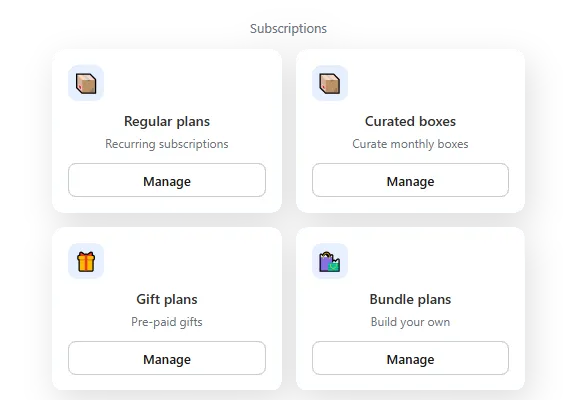
Five ways to sell, one dashboard
Regular, gift, curated boxes, build-your-own bundles, and paid memberships — manage them all from a single place.
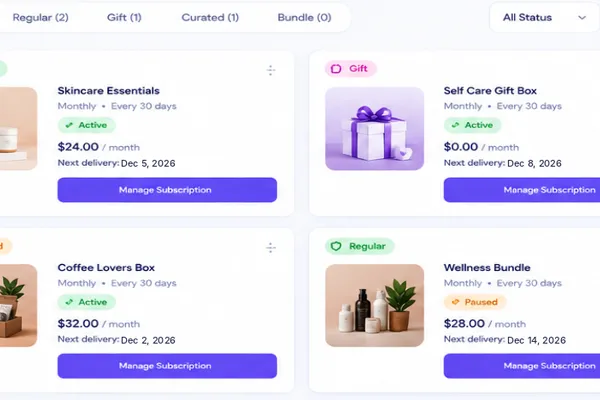
Customers manage it themselves
A self-service portal lets customers skip, pause, or manage their subscription without contacting you.
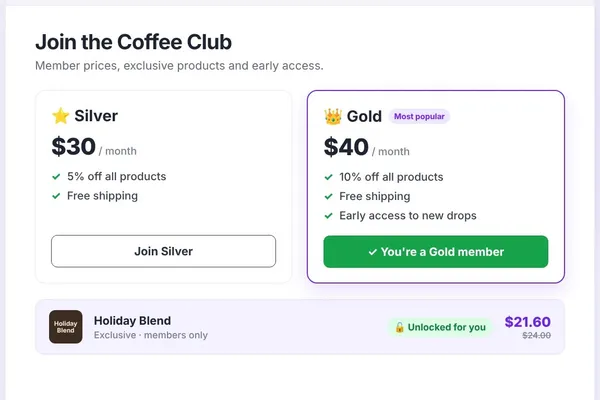
Paid memberships with perks
Member prices, free shipping, members-only products and early access. Sell one membership or tiers like Silver, Gold and Platinum.
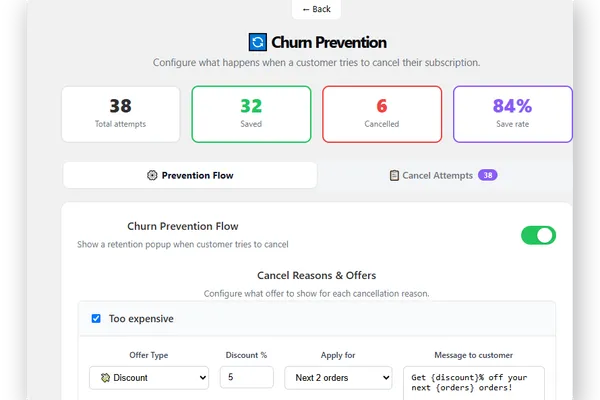
Stop cancellations before they happen
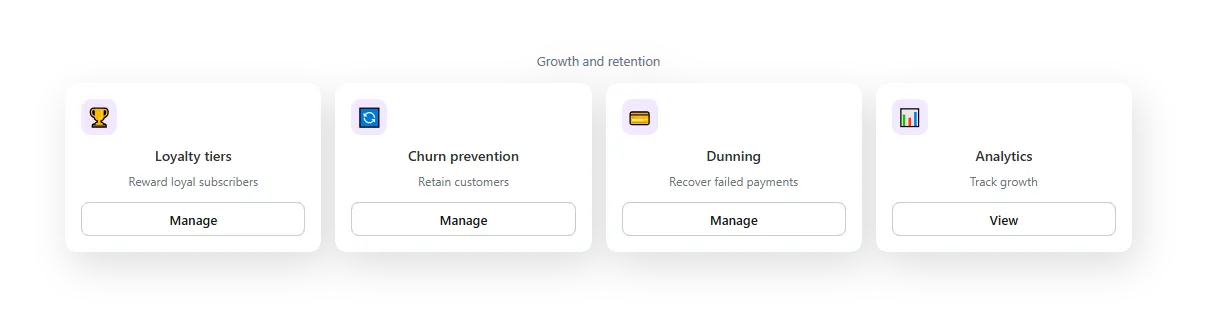
Automated pause-or-discount offers trigger the moment a customer tries to cancel.
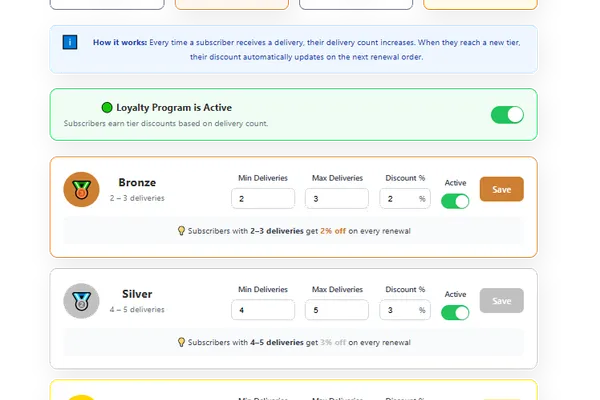
Reward your best customers
Loyalty tiers automatically unlock bigger discounts the longer someone stays subscribed.
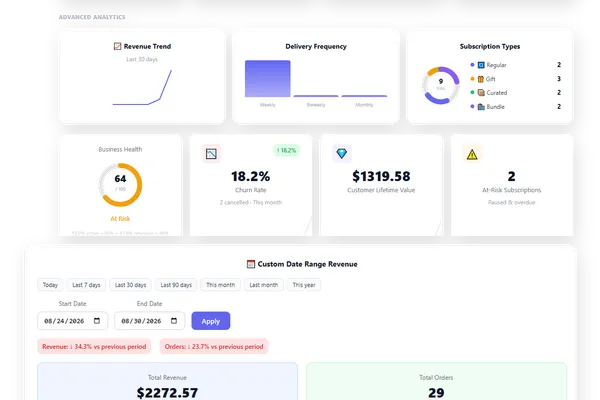
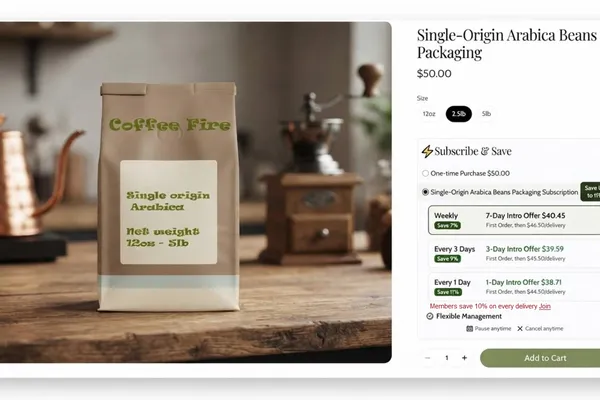

Complete dashboard visibility
Track active, paused, and cancelled subscribers at a glance. See revenue trends, subscription health, and recent activity — all from one dashboard, updated in real time.
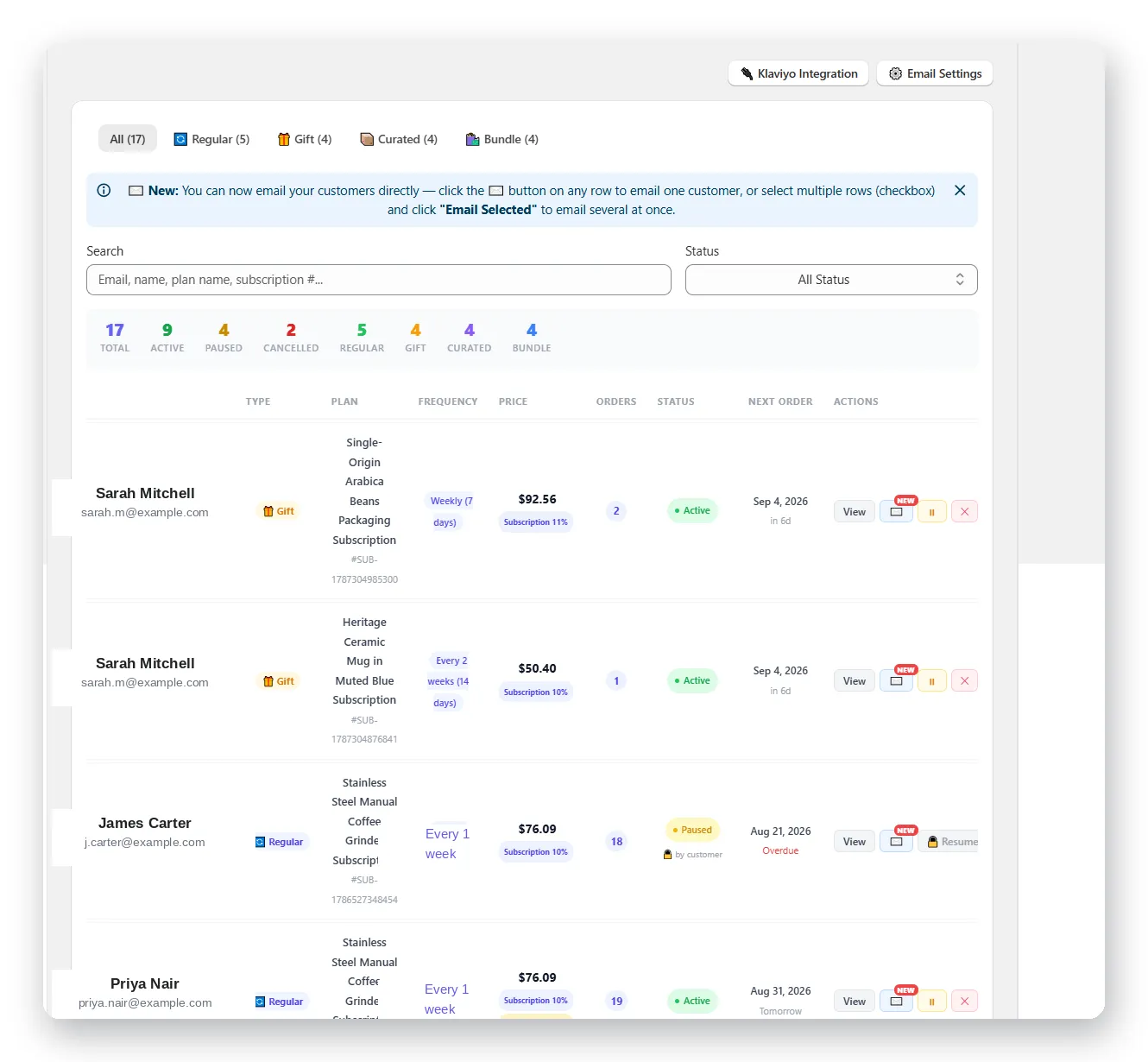
Five ways to sell recurring
Recurring plans, prepaid gift subscriptions, curated mystery boxes, build-your-own bundles, and paid memberships — set up any of them in minutes, no developer required.
Retention tools that pay for themselves
Automated churn-prevention offers, loyalty tiers, and dunning recovery work quietly in the background to keep customers subscribed and revenue recovering itself.

Built to work with your storefront
Fully compatible with Online Store 2.0 themes, GemPages, and PageFly. Your subscription widget shows up exactly where you want it, styled to match your store.
Ready to turn one-time buyers into subscribers?
Start free with up to 40 subscribers — no credit card required. Upgrade anytime as your subscription business grows.